


AI drafting with claim-level evidence review
Savix drafts RFP responses from company knowledge and presents source quotations for human evidence review. Its workflow covers question extraction, drafts, team review and export.
Read this profile to prepare a demonstration with your own documents. Inspect whether the evidence supports the exact answer and whether its qualifications survive rewriting.
Product Website Screenshot
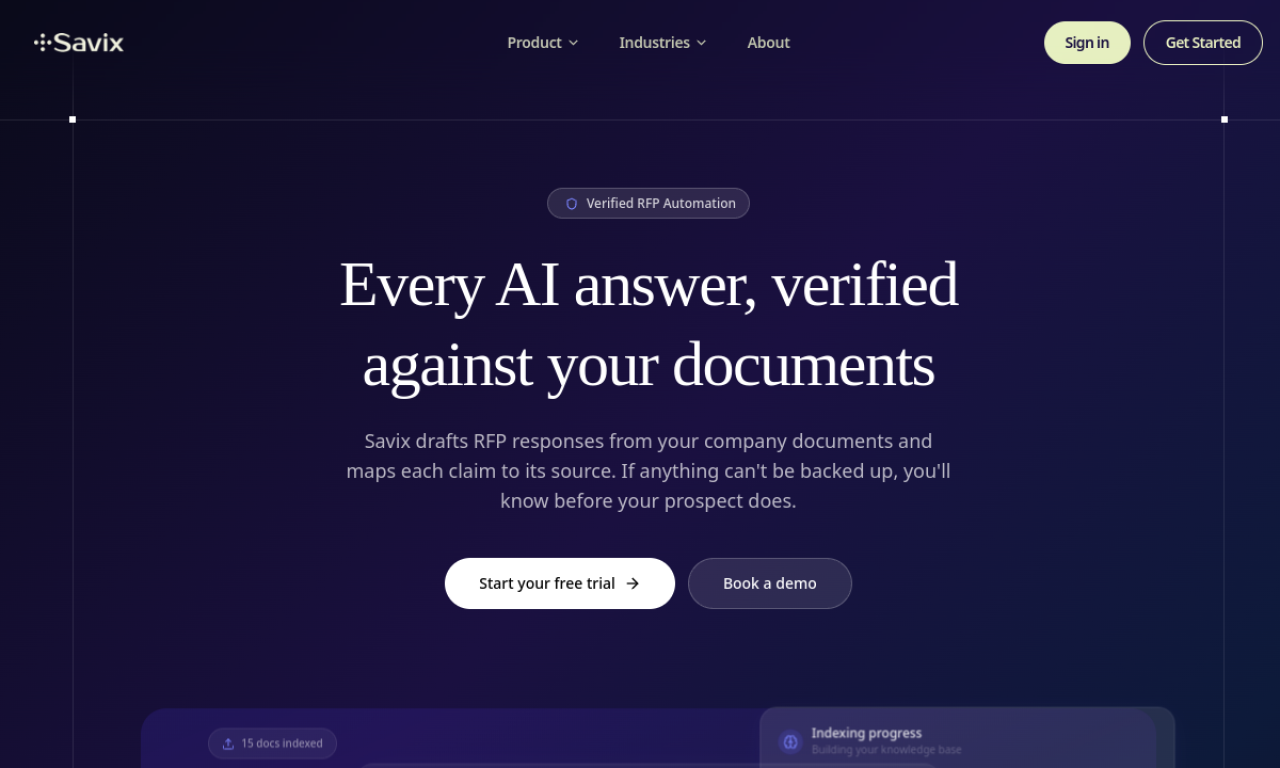
Product Overview
The response process starts with company documents and buyer questions. Savix drafts an answer, links generated claims to supporting quotations and presents evidence states for review. Its distinction is the review step between a plausible draft and a claim the team is prepared to submit.
The capabilities below are vendor-described features from the RFPhub research record. Their exact scope should be demonstrated in the package you are evaluating.
- Source citations. Maps generated claims to source-document quotes and displays the supporting excerpt and document reference.
- Quality audit. Classifies claims as supported, partially supported, unsupported, or rescued and routes exceptions for review.
- AI response drafting. Generates RFP and questionnaire drafts from uploaded customer documents.
- Response rewriting. Shortens, expands, rephrases, or formalizes draft answers.
- Centralized content library. Organizes uploaded proposal, policy, compliance, and technical documents for reuse.
- Document ingestion. Extracts questions from PDF, Word, and spreadsheet RFP documents.
- Semantic search. Supports natural-language questions and cited answers across the uploaded knowledge base.
- Document automation. Exports completed work to Word, PDF, or spreadsheet formats.
A useful evaluation records corrections and unresolved questions alongside accepted answers.
Savix RFP Software Product Details
Savix RFP software pricing
Starter: $99/seat/month; Team: $299/month (up to 10 members)
Trial available; duration and payment requirements at signup
Subscription scope can depend on licensed users, usage, integrations and services. Ask the vendor to identify the current package, billing commitment and exclusions in writing.
| Scope | Users | Usage | Services |
|---|---|---|---|
| Current offer | Confirm licensed roles | Confirm question and project limits | Confirm onboarding and support |
| Buyer check | Contributors vs reviewers | Overages and AI allowances | Migration and add-ons |
Benefits of Savix
These are the workflow benefits to validate in a pilot, not measured outcomes for this product.
- Source citations. Maps generated claims to source-document quotes and displays the supporting excerpt and document reference.
- Quality audit. Classifies claims as supported, partially supported, unsupported, or rescued and routes exceptions for review.
- AI response drafting. Generates RFP and questionnaire drafts from uploaded customer documents.
- Response rewriting. Shortens, expands, rephrases, or formalizes draft answers.
- Centralized content library. Organizes uploaded proposal, policy, compliance, and technical documents for reuse.
- Document ingestion. Extracts questions from PDF, Word, and spreadsheet RFP documents.
- Semantic search. Supports natural-language questions and cited answers across the uploaded knowledge base.
- Document automation. Exports completed work to Word, PDF, or spreadsheet formats.
Features of Savix
Security and answer controls
Assess evidence review separately from information-security controls and contractual data handling.
- Source citations. Maps generated claims to source-document quotes and displays the supporting excerpt and document reference.
- Quality audit. Classifies claims as supported, partially supported, unsupported, or rescued and routes exceptions for review.
Interface and response preparation
Follow the work from the original buyer question to an approved answer using your actual files.
- AI response drafting. Generates RFP and questionnaire drafts from uploaded customer documents.
- Response rewriting. Shortens, expands, rephrases, or formalizes draft answers.
Knowledge management features
Inspect what feeds an answer, how sources stay current and how approved content is reused.
- Centralized content library. Organizes uploaded proposal, policy, compliance, and technical documents for reuse.
- Document ingestion. Extracts questions from PDF, Word, and spreadsheet RFP documents.
- Semantic search. Supports natural-language questions and cited answers across the uploaded knowledge base.
Multi-project management features
Check question ownership, response status and the final buyer handoff.
- Document automation. Exports completed work to Word, PDF, or spreadsheet formats.
Q&A features
Preserve source qualifications and exceptions through retrieval, drafting and rewriting.
- Source citations. Maps generated claims to source-document quotes and displays the supporting excerpt and document reference.
- Quality audit. Classifies claims as supported, partially supported, unsupported, or rescued and routes exceptions for review.
- AI response drafting. Generates RFP and questionnaire drafts from uploaded customer documents.
Team collaboration features
Use separate accounts to validate roles, review responsibilities and changes to answers.
- Document automation. Exports completed work to Word, PDF, or spreadsheet formats.
Reports and traceability
Inspect which decisions, source relationships and project information can be reviewed and exported.
The source record does not establish the full scope of this area. Request a demonstration and written package confirmation.
Savix Integrations
The recorded integration list helps you plan the demonstration. A listed connection does not establish synchronization depth or availability on every plan.
Knowledge and document sources
Google Drive, SharePoint, Confluence
Demonstrate source updates, deletions and access changes before connecting a restricted repository.
Team tools, identity and automation
Slack
Identity connections recorded: not established in the source record; ask the vendor.
Public API scope is not established here. Confirm the required automation directly.
Source-based workflow assessment
Open the criterion evidence in Product Details to see which documented tasks support the score.
5 Quick steps to evaluate Savix
Import an approved policy, an obsolete policy and a product brief. Ask whether a control is available on every plan. Inspect the supporting excerpt, the exception state and the exported answer.
1. Prepare your source documents
Select approved documents and mark the current version. Include an exception and a question with no supporting evidence.
Latest news
Test the evidence behind an AI RFP answer
A repeatable checklist for sources, qualifications and reviewer approval.
25 October 2026Sources and research history
Selected-source check: . Earlier research baseline: 2026-09-07.
- www.savix.io/ — vendor claim
- www.savix.io/pricing — vendor claim
- www.savix.io/rfp-automation — vendor claim
- www.savix.io/evidence-verification — vendor claim
Official-source research, not hands-on testing. Features are vendor claims; security controls, connectors and contractual terms require validation.
Leave Your Evaluation Note
Save a local draft for your own review. This form does not post a public review or send personal information to a server.
Editorial update: . Copy and navigation revision; vendor source-check dates remain recorded separately in each profile’s research history.